
Automatically Investigate What Matters: Introducing Tier 1 Detections
Learn how to set up a complete detection and response program in an afternoon using RunReveal's out-of-the-box Tier 1 detections and AI SOC.

Detection & Response is hard. Security engineers want to see the alerts and environment context that actually matter to them, without weeks of setup, hours of investigation per alert, and a flood of false positives.
Today we're introducing Tier 1 Detections, with automatic AI SOC investigations enabled for all of them out of the box.
Tier 1 Detections Philosophy
When SIEM was first imagined, it was a place to centralize logs, write alerts mostly to monitor endpoint and server logs, and quickly respond to anomalous activity. But the world has changed a lot since then.
EDR tools now monitor endpoints and servers and generate alerts that security teams once wrote by hand in a SIEM. But the attack surface has exploded in complexity: Security team’s aren’t just concerned with endpoints anymore—they deploy a constellation of tools for monitoring their cloud infrastructure, email security, SaaS tools, identity stack, and more.
Tier 1 Detections are high signal detections that are automatically investigated by our AI SOC, as soon as they are enabled. The goal of these detections is to:
- Centralize your alerts from other tools and ensure they are investigated.
- Correlate them with the rest of your logs to look for false positives and true anomalies.
- Monitor for other extremely risky activity that happens infrequently.
Tier 1 detections enable a security team of just a single person to spin up a complete D&R program in an afternoon, investigate dozens of alerts without needing specialized SOC analysts, and avoid being crushed by false positives.
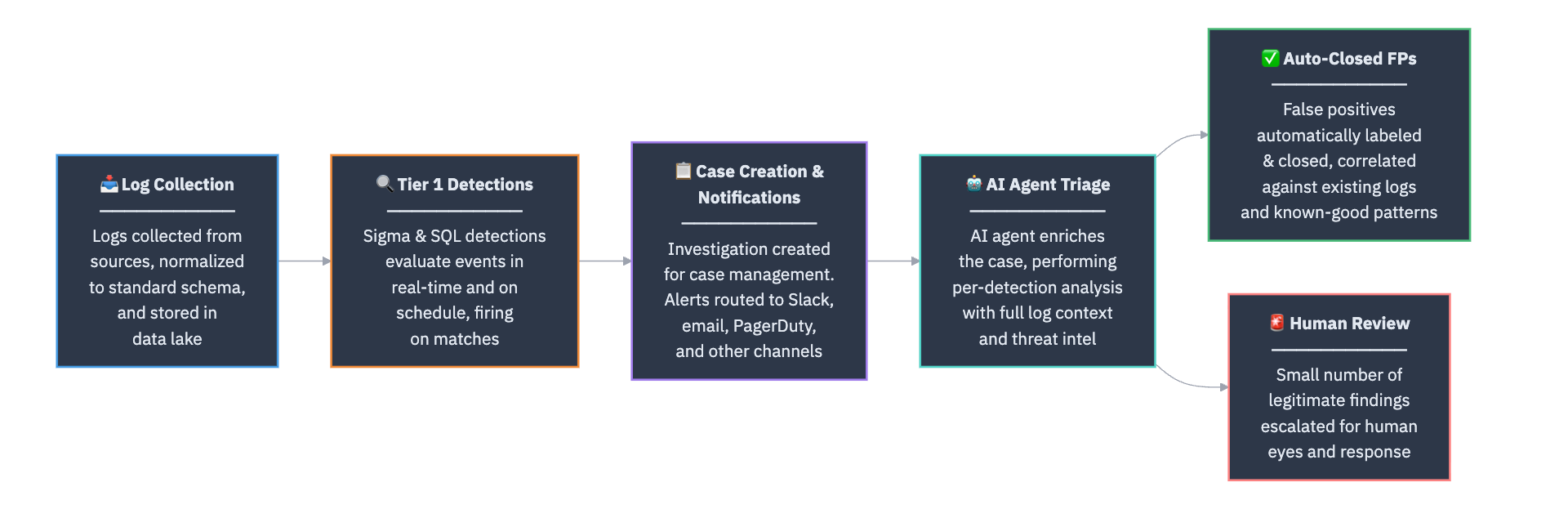
The entire process that a log goes through will look something like this, all with a 5-minute set up process.
Starting with Tier 1 Detections in RunReveal
Once create an account with RunReveal and configure your log sources, our Detections Library will automatically recommend Tier 1 alerts that are relevant to you.
Enabling these detections and the entire automatic response process just requires selecting View Unsubscribed, selecting all of the relevant detections, and then subscribing to them.
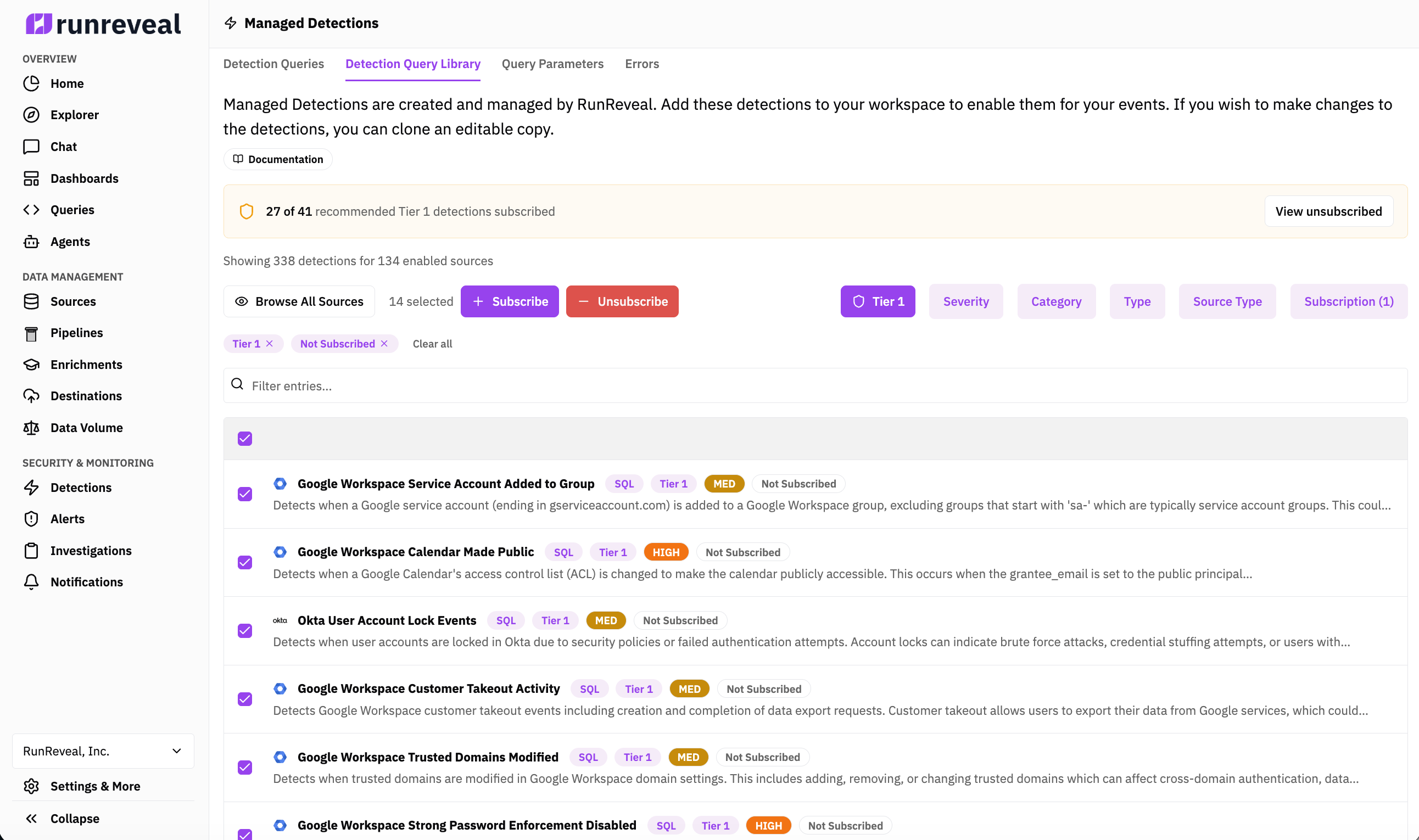
After these detections are enabled, you can find your already investigated alerts under the Investigations tab. The cases will automatically have a short human readable summary, and the AI agent will show all the work it did.
You can tune the detection, the alert triage agent, and customize any part of the process but by default the out of the box capabilities will take you from no detection and response capabilities to a solid foundation quickly.
What’s next?
These capabilities are extremely unique in a single platform and the amazing part of RunReveal’s platform is we can do all of this running on-premise, with your own AI inference API keys or models, and with custom agents our customers define.
In the near term we’re working on expanding the number of Tier 1 Detections, without increasing the amount of noise our customers have to deal with. In addition, continuing to make RunReveal more accessible to security teams of all maturity levels, and making RunReveal’s agent more connected to other tools that security teams have.
We’re excited about what we have planned for the next couple of months so make sure you stay tuned.