
Introducing the New RunReveal Log Explorer
RunReveal's redesigned log explorer improves security log analysis with better visibility, intuitive filtering, and AI-powered SQL queries.


Today we're announcing a new and improved log explorer in RunReveal. Our previous log explorer was something we built early on, and while it worked well, we knew it had room for improvement.
In this post, we'll cover our old log explorer, the issues we wanted to address, and some future work we have planned to continue iterating on this feature.
We're releasing this update to improve the customer experience and gather feedback on how to make it even better. Check out the video below of the new log explorer in action!
The old log Explorer
Our Explore page has been a very reliable and stable part of our product since we released it. We've re-written most of the components we originally used and made an uncountable number of minor improvements, but it hasn't majorly changed in design, layout, or functionality since the initial release.
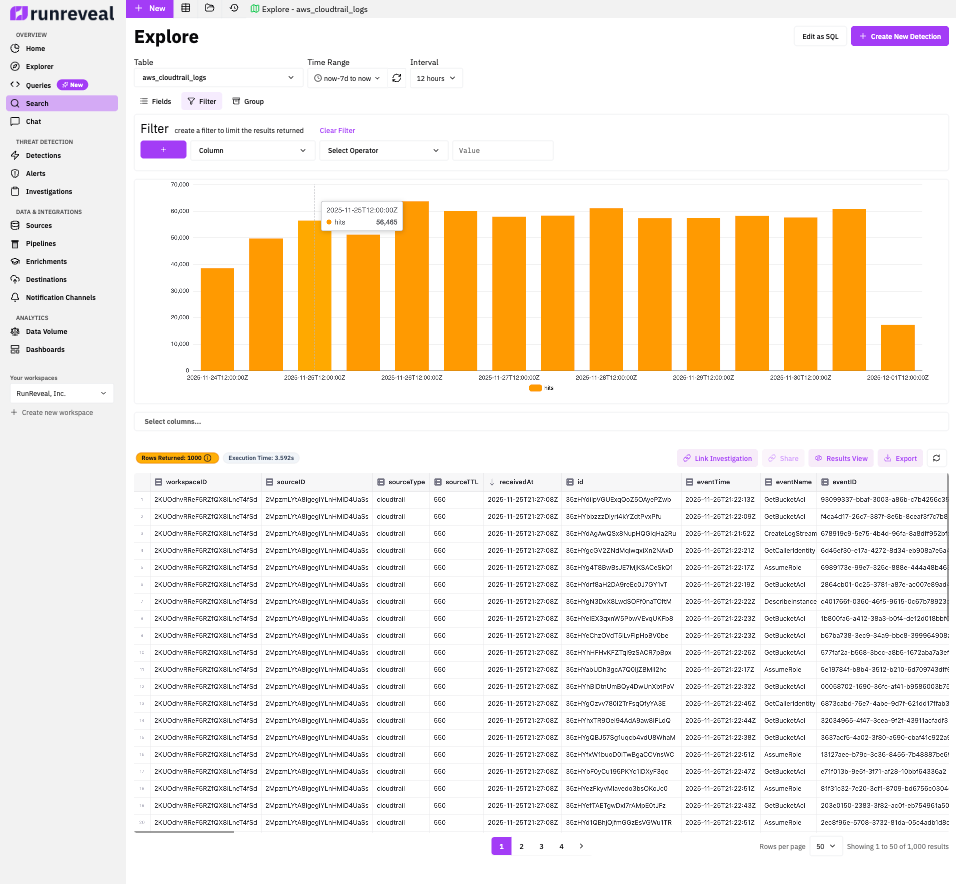
There were a few issues with this page that we felt needed to be fixed: first you’ll notice the page is really tall. It wasn’t possible to see log volume, filters, and the actual logs all at the same time. Users would need to frequently scroll up, then down, then back up, and then back down while iterating on a simple query. The above screenshot is 1920x2080 resolution to try to fit everything into one screenshot.
Another core issue with this design is that there's a lot of hidden functionality. Filtering, grouping, and the current shown fields are all competing for the same screen real estate. Most customers didn't intuitively recognize this functionality was in the page so it mostly went unused.
Most of these problems center around the density of the page. The functionality rarely got complained about, but the usability never quite felt right. We ran into similar issues with our SQL query functionality, and customers frequently used that page in ways we didn't expect.
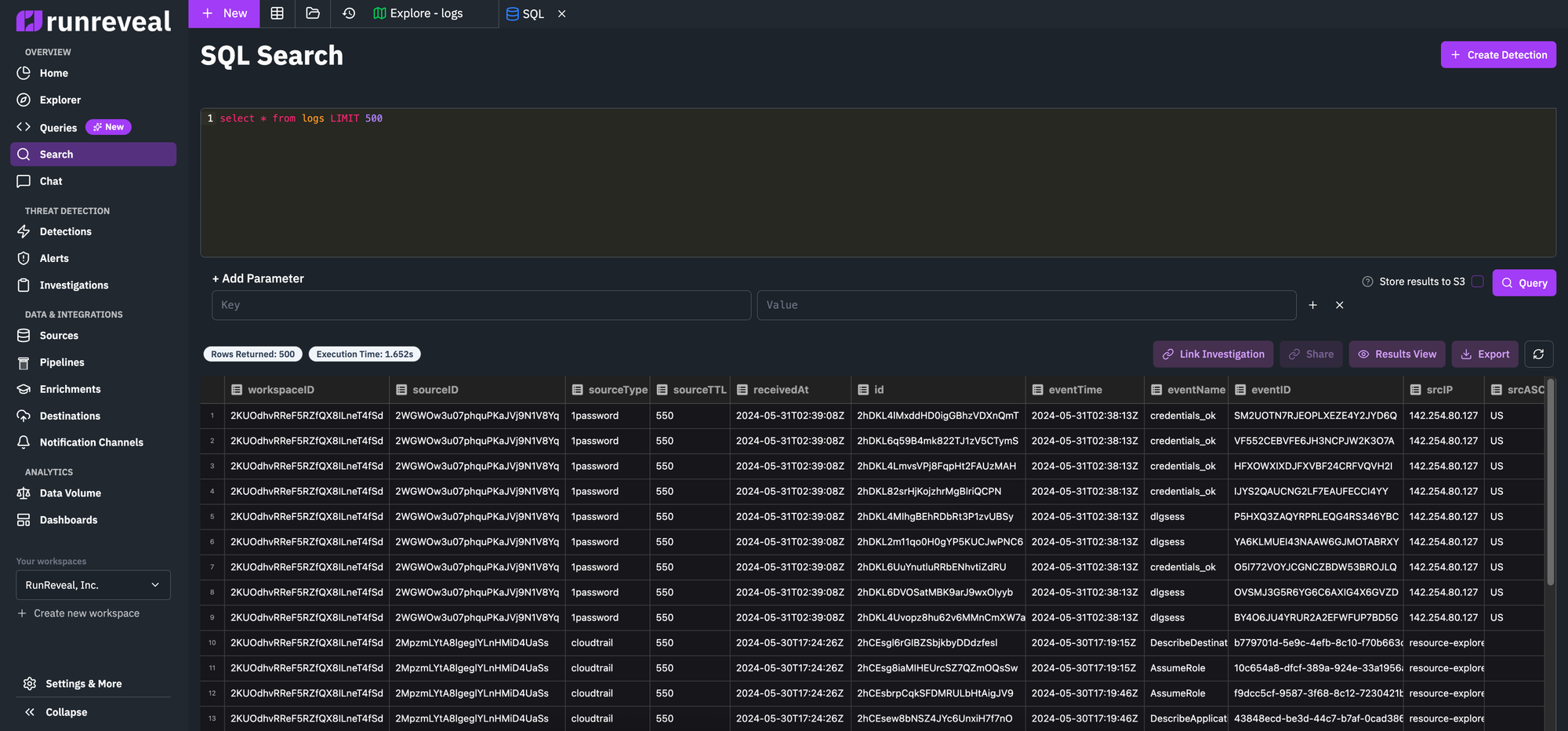
We had some customers who would write detailed queries and want to save them, iterate on them, and have a version history of sorts but this wasn't supported by just a raw SQL input field. While it was more intuitive, it felt more limited and a barebones experience.
The new log Explorer
These are the goals we had in mind for the new views:
- Improve the user experience and usability
- Linkable exploration views for easy context sharing with your team
- Linkable Saved Queries with edit history so you can iterate on ideas
- An AI assistant to help create and update queries
Here are some details around our thinking for this new design.
Log analysis is a data intensive application. One of the challenges inherant in that is trying to make everything important fit on one page, or be discoverable. One of the first things we had to do was compact the layout to ensure we were taking up 100% of the available screen real estate, and avoiding dead space.
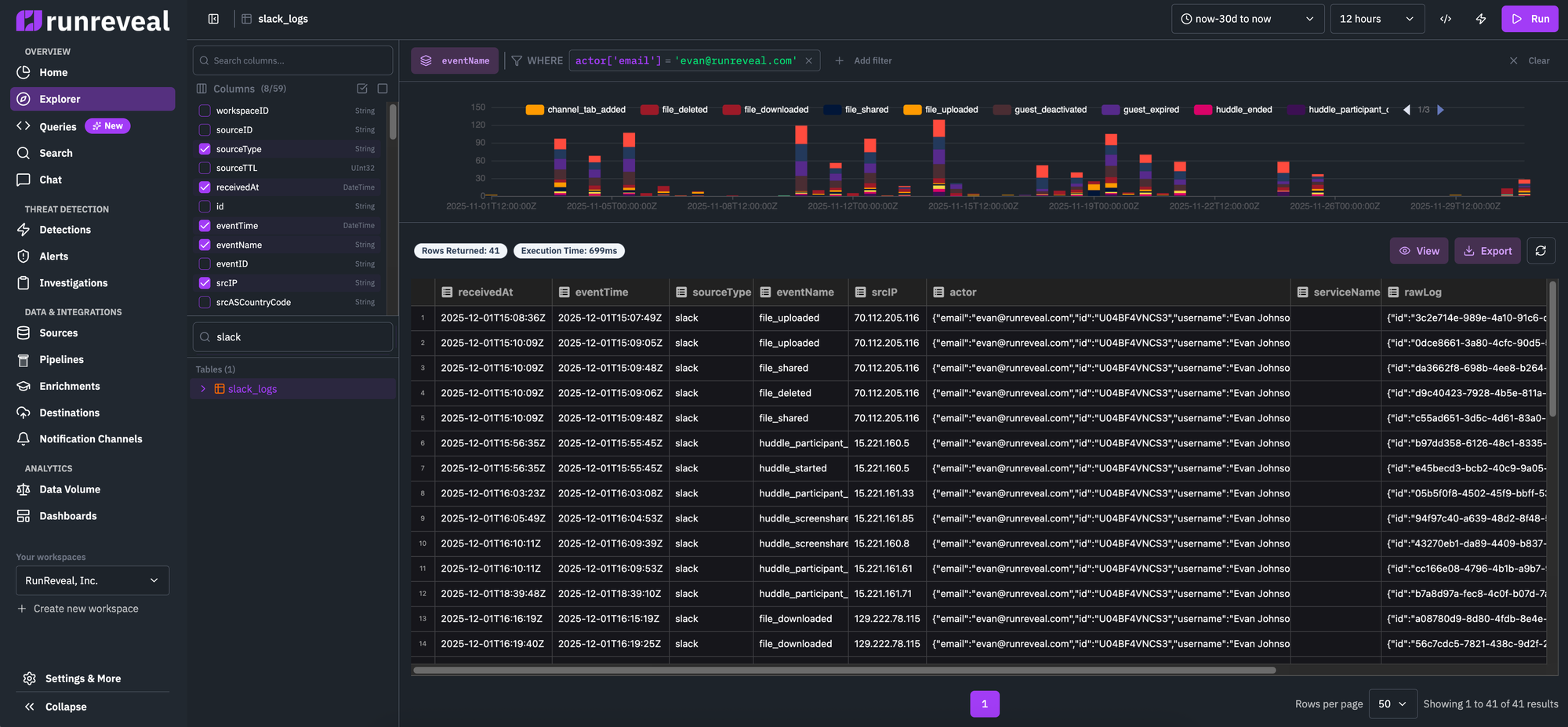
To fix the problem of column selection and table selection being unintuitive we created a new sidebar. This works visually since both are large lists of things you can select instead of displaying them differently in the previous design (as a list of badges for field selection, and a select box for table selection).
Another key improvement we made to fit everything on one page was to set a fixed size for the timeseries graph of log hit count and result filtering. If you compare the old with the new directly, you'll see we shrunk the results column chart, horizontally stretched the filter creator, and gave a fixed space for the log results to be nicely displayed inside.
Finally, the call to actions on the page are now displayed in just the top right, along with the time picker, and other components users would oftentimes interact with.
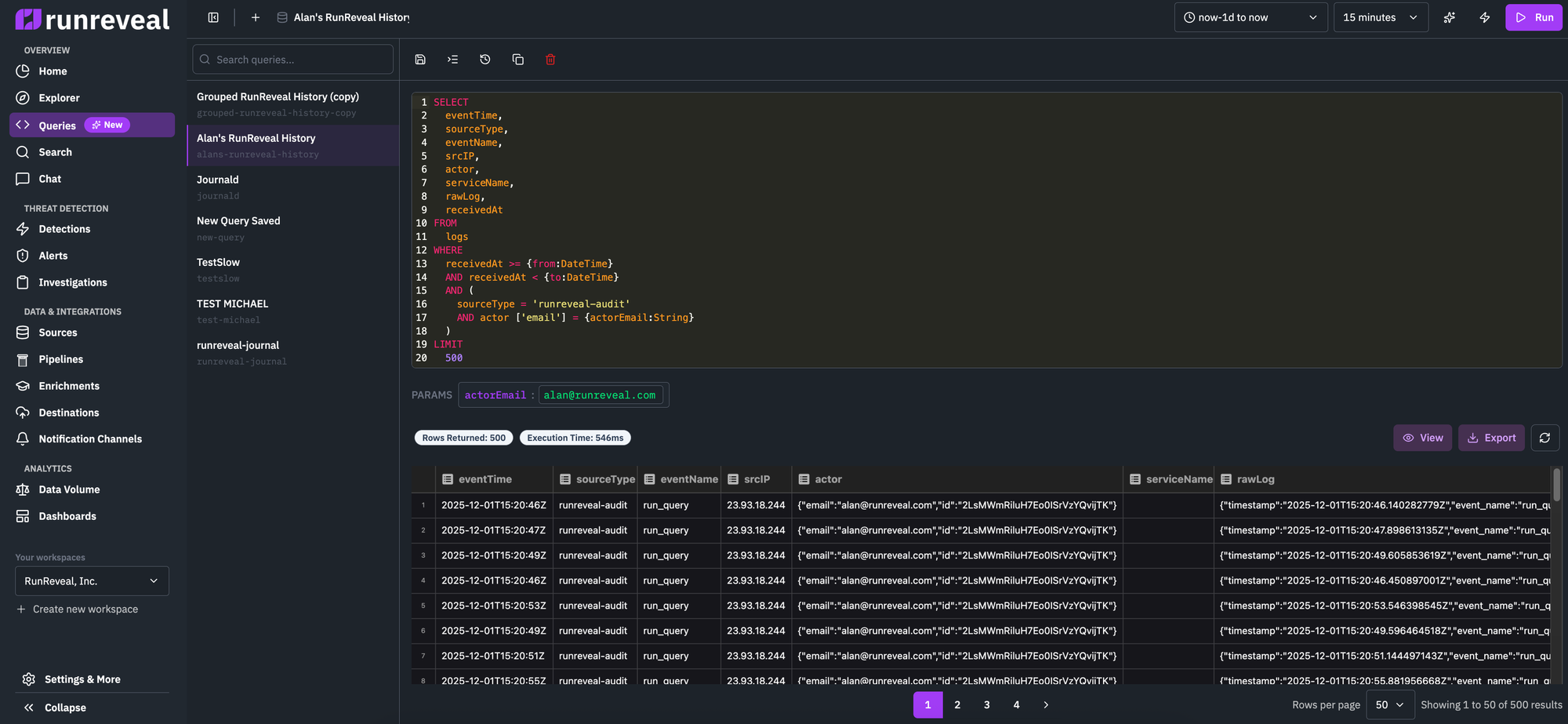
When switching to writing SQL queries, we keep the same page layout and design. Instead of the column chart that we display for the SQL-less log explorer, we display a text area so users have full control of the query they would write.
Since columns and tables are defined in the query area, we can instead re-purpose the screen real-estate that was used for the types of things our customers wanted in our SQL editor. The ability to save queries, load them from memory, see a queries version history, etc.
Most exciting in the ability to quickly iterate on a query using AI, a limited version of the AI agent we give to our customers in the AI Chat feature. And it even includes a "Fix with AI" button so you don't need to strain your eyes looking for subtle SQL typos that result in query errors.
What's next?
We're excited to release this to our customers and improve the log search experience that our customers currently have. There are dozens of small improvements that we didn't mention here, and we're sure that this release is an improvement over the previous experience we were providing.
There's still more to do however, and we expect that the integration with our chat will continue to improve along with UI in coming quarters.