
Introducing Custom Views and Custom Role-Based Access Control

Today we're announcing two major capabilities in RunReveal, Role-Based Access Control (RBAC) and Custom Views. Together, these features give security teams the power to control exactly what data individual users can access, and create custom parsers and database views for any type of log data in just a couple of seconds.
As soon as we onboarded our first couple of customers we started hearing two very specific challenges:
"I wish my infrastructure team could have access to RunReveal, but I don't want them to also see the Okta logs."
"We have critical logs from our internal microservices that we need to build detections for, but they're just JSON blobs that you don't have a parser for. They are really annoying to query and look at without this."
Today, we're solving both of these challenges by giving our customers the enterprise capabilities they need in simple and usable packaging. Let's dive into how they work.
Creating a Custom View
RunReveal uses our own data platform and custom views every day for handling our journald and other operational logs. Here's an example of the type of data we collect from our own infrastructure.
In practice, these logs are a lot bigger but I removed some of the details to make it easier to read.
{
  "MESSAGE": {
    "err": "invalid character 'a' looking for beginning of value",
    "level": "ERROR",
    "msg": "Hit error reading opening brace",
    "source": {
      "file": "SHORTENED/objectstorage/cloudtrail/source.go",
      "function": "SHORTENED/objectstorage/cloudtrail.Source.ParseFile",
      "line": 40
    },
    "time": "2026-01-21T02:41:36.809693761Z"
  },
  "PRIORITY": 6,
  "SYSLOG_FACILITY": 3,
  "SYSLOG_IDENTIFIER": "rrq",
  "_CMDLINE": "/opt/runreveal/current/rrq run",
  "_COMM": "rrq",
  "_EXE": "/opt/runreveal/v2026.1.32/rrq",
  "_GID": 0,
  "_HOSTNAME": "ip-xxx-xxx-xxx-xxxx",
  "_MACHINE_ID": "ec2a094ed74d0cbe28f53c56036f8c38",
}
Several of these columns have funky names, and some of the interesting fields are deeply nested within the log structure. We want to parse line numbers and files, so we could instantly respond in cases that a production error happens.
Within the Custom View Creator in RunReveal, it simply takes configuring the name we want to call the column, the type, and then the path to access that data within the object (using dot notation).
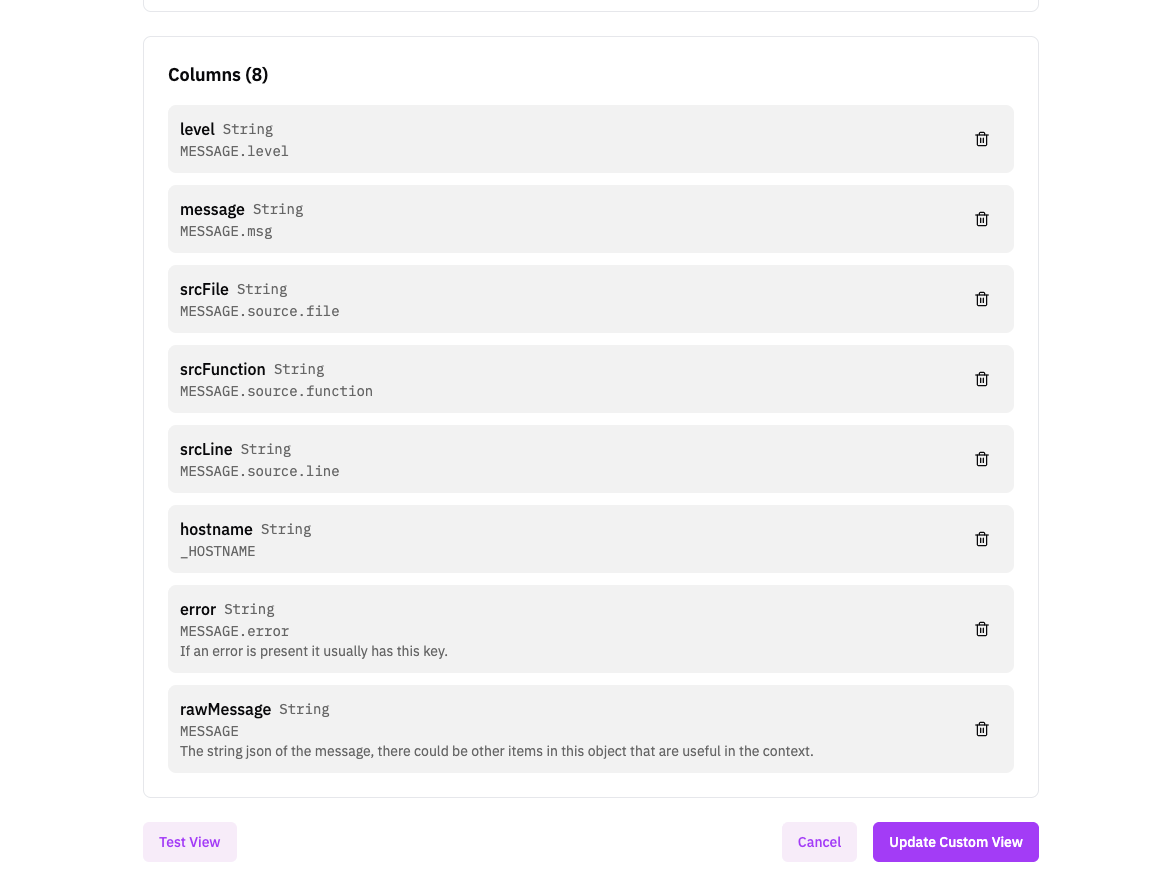
For our journald logs, this just requires a MESSAGE.source.line and our new column called srcLine will have the data that we expect (when it's available in the log).
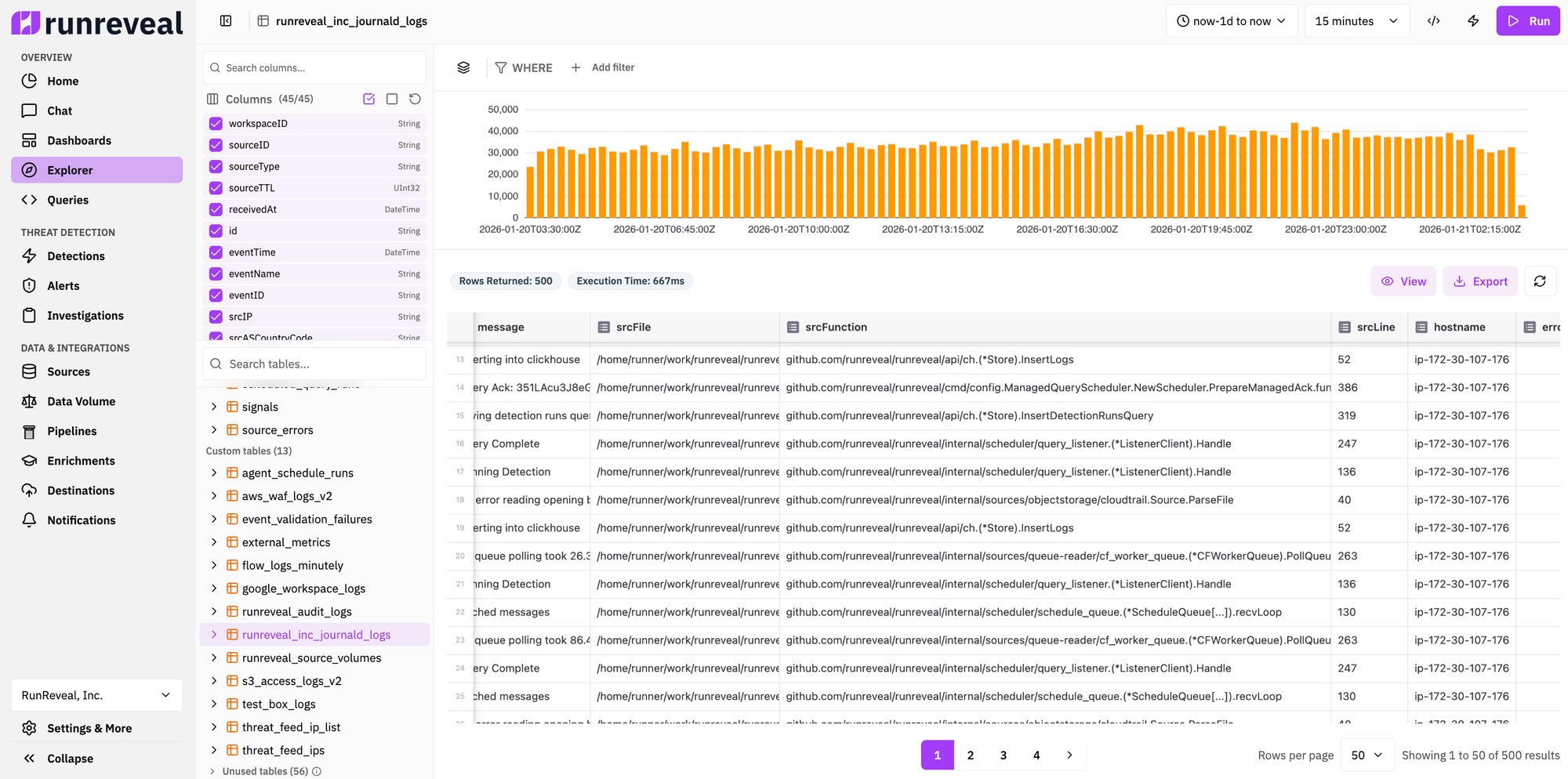
These columns can be now queried, searched, and filtered just like any other table or column. For example, we can write a RunReveal detection to alert us whenever we find an error in a specific file or function:
SELECT *
FROM runreveal_inc_journald_logs
WHERE level='ERROR' and srcFunction like '%InsertLogs'
AND receivedAt > {from:DateTime} and receivedAt <= {to:DateTime}
Create a Custom Role
Default roles (Admin, Analyst, Operator) work for simple use cases, but most organizations need fine-grained control. Custom roles let you create new roles tailored to your team structure — whether that's giving DevOps access to only infrastructure logs, creating read-only consultant accounts, or segmenting access by data sensitivity.
Custom Roles are built on two planes of access control:
- Management Plane controls what platform features users can access like viewing dashboards, creating detections, managing sources, or configuring integrations. These are the UI and API capabilities that let users interact with and configure the RunReveal platform itself.
- Data Plane controls what data users can query and view. Within the data plane, you can independently control access to three types of data: log data (raw security logs from your sources), detection findings (alerts and detection results), and management metrics (errors during log collection, ingestion statistics, data pipeline metrics etc.). This separation means you can give someone access to detection findings without letting them query the underlying raw logs, or vice versa.
Creating a new role takes just a few seconds and requires a configuration for the management plane and data-plane. Skipping the configuration of the data-plane will just result in failing closed, and the role having no access to any of the data.
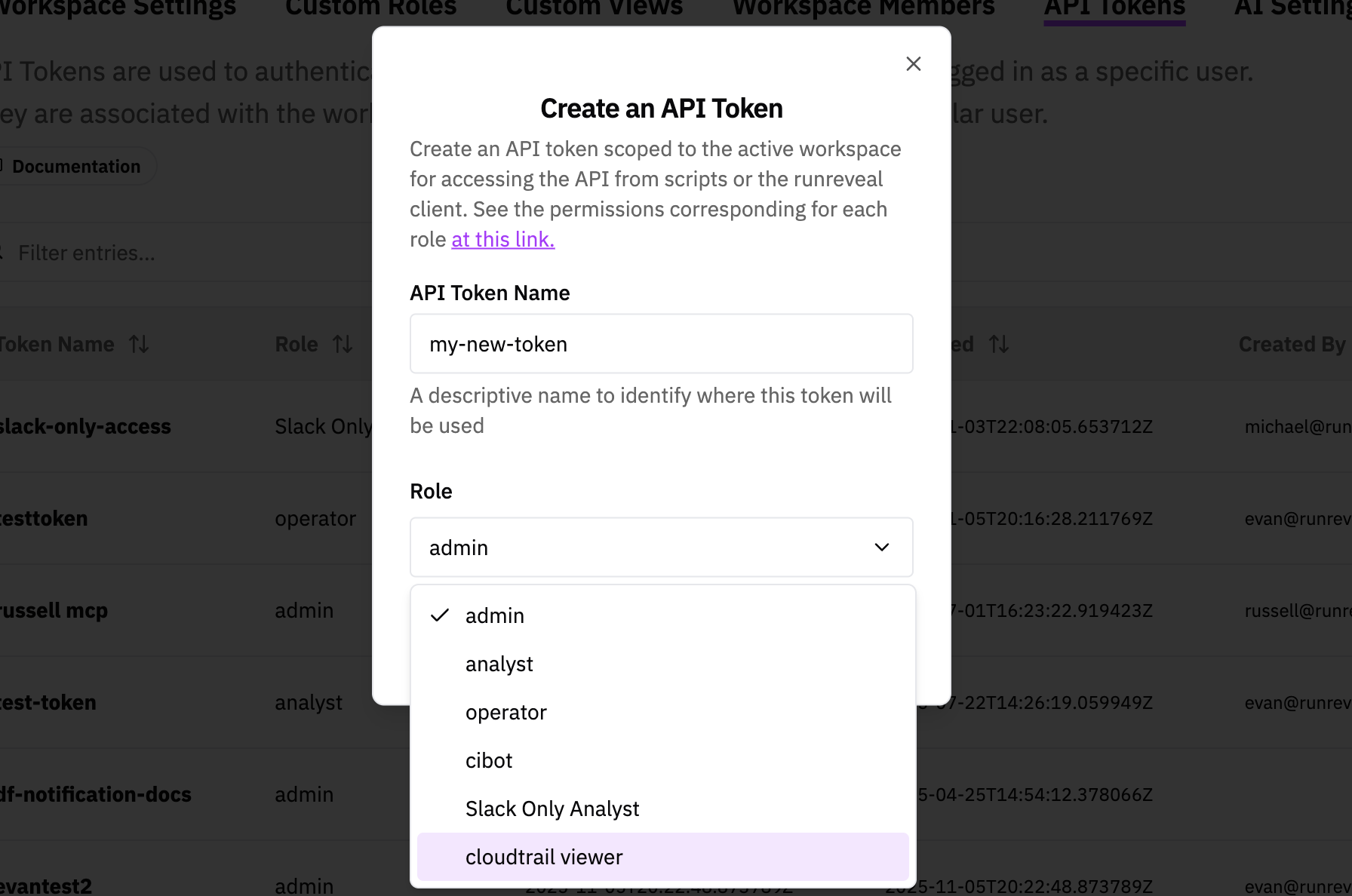
Once you've created a custom role it can easily be assigned to API tokens or users alike, and will be available in the configuration dropdown.
What's Next
Security teams are under constant pressure to do more with less, and they need tools that support them without long setup times and complex configuration. Our custom views and RBAC improvements do exactly this.
These types of announcements aren't flashy, but they are absolutely critical to all security teams. (Over the next month or two, however, we have a few very flashy announcements too!) We're really excited about these so make sure to stay tuned about what's next and reach out if you'd like a sneak preview.
Questions? Feedback? Reach out to us at support@runreveal.com or via the in-app chat. We'd love to hear how you're using these features.